
Automatic content generation
The AI auto-generation section allows you to automatically generate content for products and collections as they appear in your store.
Once your rules are set up, content will be generated automatically — no additional action is required on your part.
Create Automation
Open AI auto-generation page from the sidebar.
Click Create.
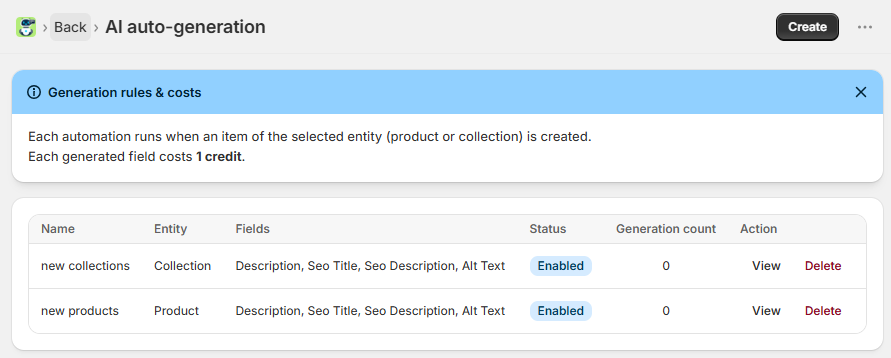
Configure the automation in three steps:
Choose the entity type for automatic generation:
Product
Collection
Then select the fields that should be generated automatically:
Title (available for products only) - regenerates the existing product title
Description
SEO Title
SEO Description
Alt Text
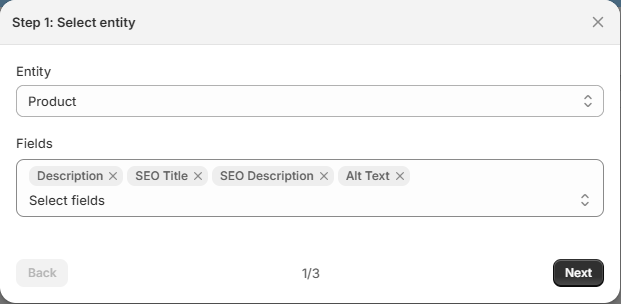
Click Next to continue to the next step.
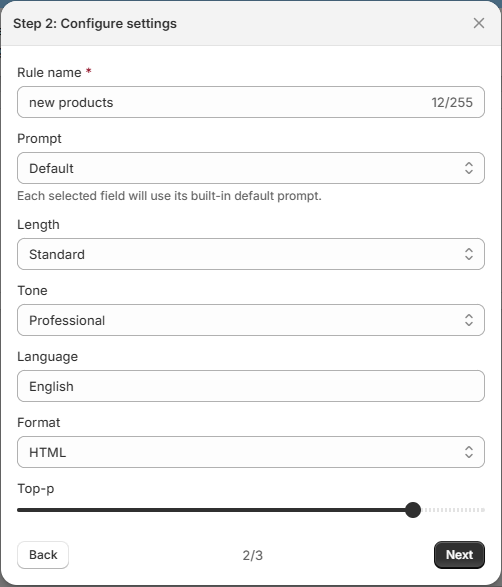
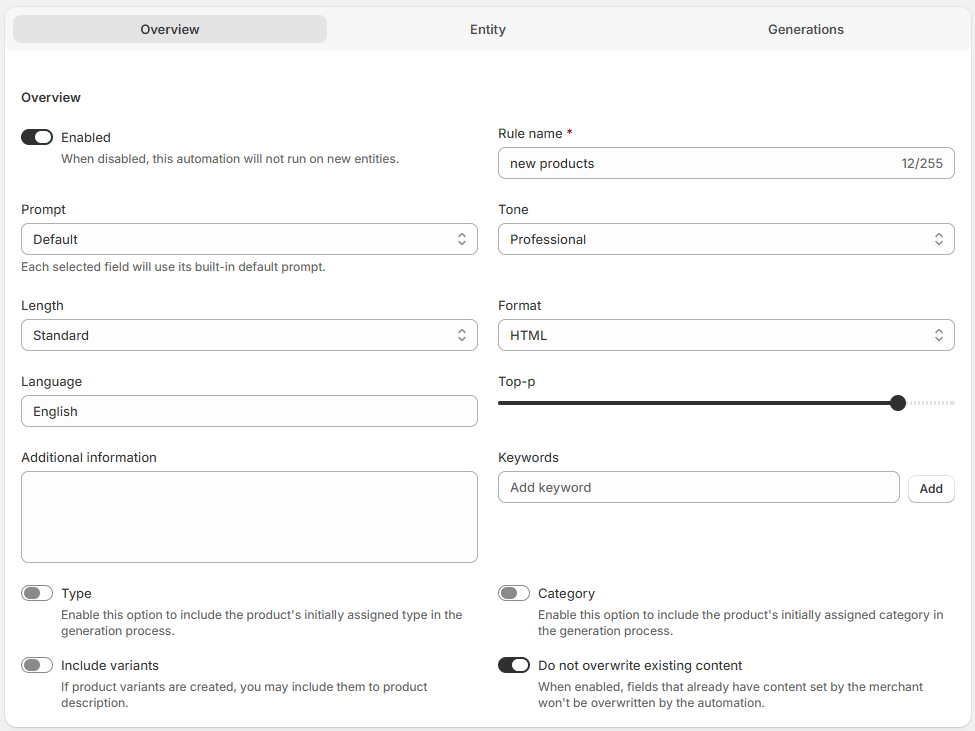
Configure the generation settings for the automation:
Rule name - internal name of the automation
Prompt - instructions used for AI generation
Length
Tone
Top-P
Language
Format
Click Next to continue to the next step.
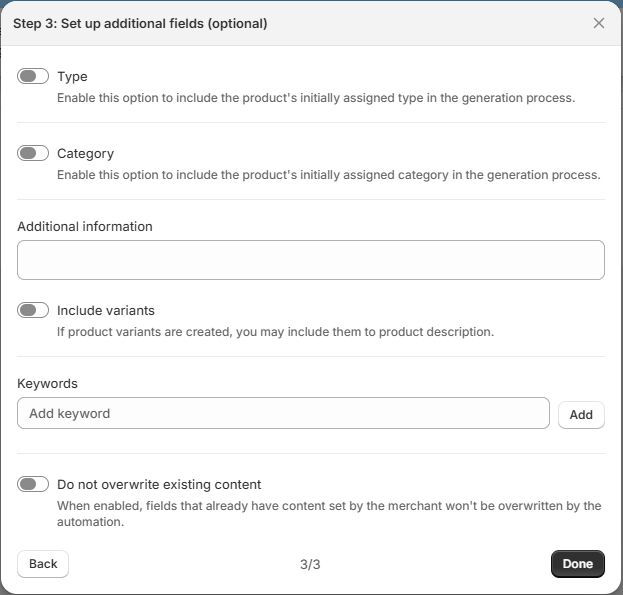
Specify additional details AI should consider for content generation:
Type (available for products only) - if enabled, product's type will be considered by AI during content generation.
Category (available for products only) - if enabled, product's category will be shared with AI as context for content generation.
Additional information - add any extra details you want AI to consider.
Include variants (available for products only) - include product variants in the generated content.
Keywords - reusable keywords applied to all generated content
Do not overwrite existing content - enable this option if you want to keep manually entered content unchanged. When enabled:
AI generates content only for empty selected fields.
Existing manually added content is preserved.
Credits are not charged for skipped fields.
Example:
If description and SEO fields are selected for generation:
Product A already contains a description → only SEO fields are generated.
Product B has no description → description and SEO fields are generated.
Click Done to create the automation.
Content is generated and published the moment you save a new product or post - no manual approval is required.
Automation Details
After creating an automation, you’re redirected to the Automation Details page, where you can review and edit its settings if needed.
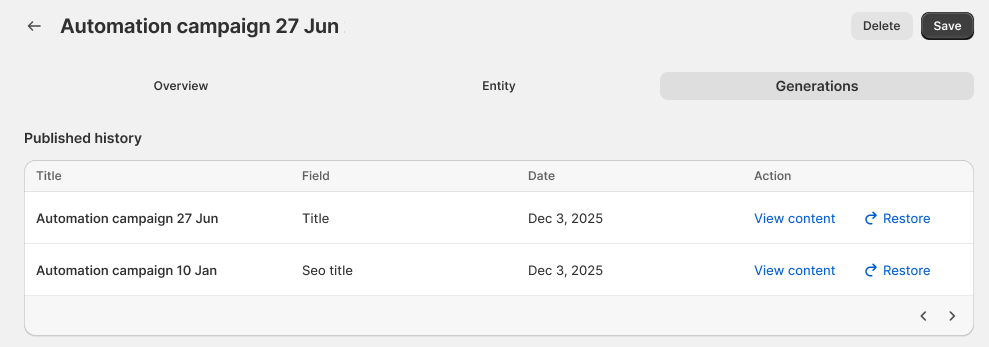
In the Generations tab, you’ll find the history of all content created by the automation rule. You can filter the content and restore previous versions with a single click.
If you have multiple active rules for the same entity type (e.g., two rules for "Products"), the system will always prioritize and apply the most recently created rule.
Content Generation Behavior
When a product or collection is created:
AI automatically generates the selected fields.
Generated content is published immediately.
No additional confirmation is required.
If multiple active automations exist for the same entity type, the most recently created automation is applied.
Credit Usage
Text content generation - 1 credit per field