
Custom Prompts for Content Generation
Custom prompts are specific instructions you provide to the AI, ensuring it generates content that meets your needs.
While the Generate button uses a default prompt, which may be too general in some cases, the Generate with Custom Prompt action allows for more tailored results.
You can browse our library of pre-made custom prompt templates that already include necessary variables or create your own.
Generate content with custom prompts or custom prompt template
Content generation with a custom prompt works similarly to generating content with the default prompt, but with the added step of specifying the prompt you want to use:
1. Open Content Generation from the sidebar.
Select the appropriate tab:
Products - generate content for products.
Collections - generate content for collections.
Blog - generate content for blog posts.
Select the item(s) you want to work with.
Click Generate with custom prompt.
A popup window will appear. You can either:
Type your custom prompt directly, or
Click the dropdown under Prompt Template to choose one of built-in or saved custom prompt templates.
Be sure to use the {{ all.product.data }} variable — it pulls information about your product directly from your product settings.
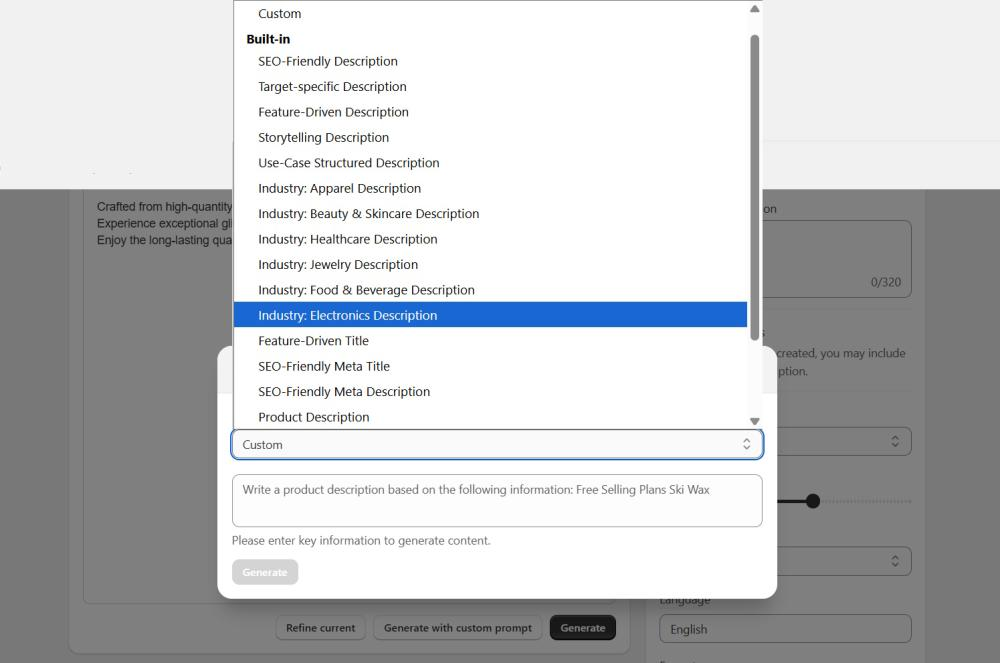
Once ready, click the Generate button to create the content.
Create New Custom Prompt Template
If you prefer using custom prompts for content generation, you can save frequently used prompts as templates to easily reuse them or use built-in ones. To create a new template follow these steps:
Open Prompts.
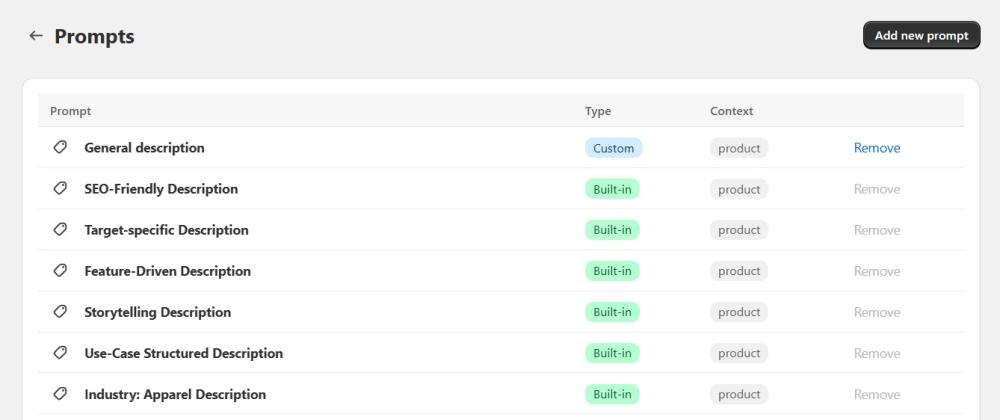
Click the Add new prompt button.
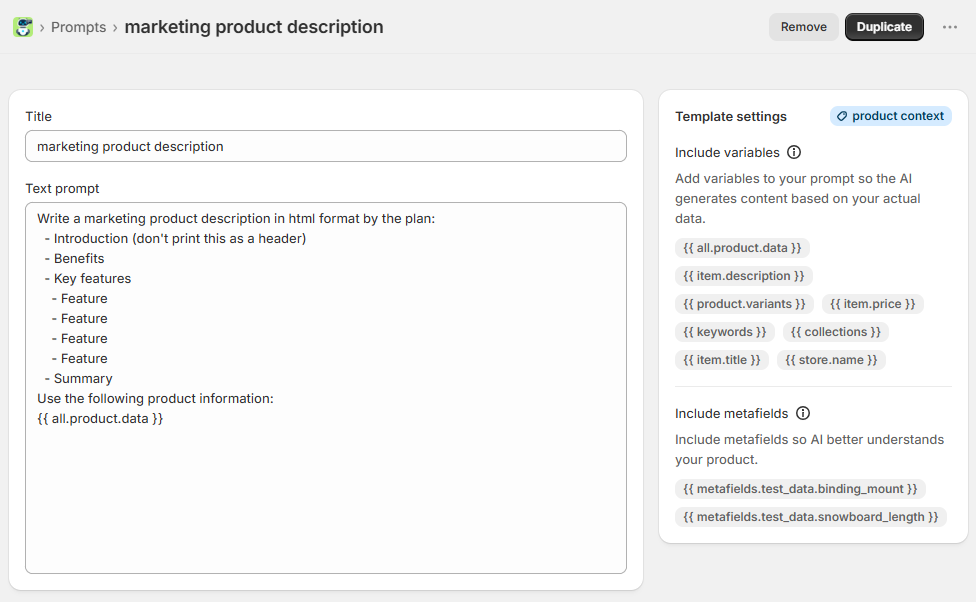
Enter a Title (give your template a clear, recognizable name.) and write the core instructions for the AI in the Text prompt field.
In Template settings, optionally add:
Variables - insert dynamic data from your product, collection, or article.
item.description – includes context from your current product description (first 400 characters).
product.variants – adds information about product variants.
item.title – provides the product title for the AI to incorporate.
store.name – includes your store’s name in the prompt.
item.price – adds the product’s price to the context.
keywords – helps AI generate and use relevant, popular keywords.
collections – adds information about the collection the product belongs to.
Metafields (Product templates only) - include product metafield values to provide additional context for AI-generated content.
Click a variable or metafield to add it to the end of your prompt.
Click it again to remove it.Save the template.
Need ideas for custom prompts? Check out our blog post for inspiration!
Use the template during content generation through action Generate with custom prompt.
Built-in prompt templates are not editable. To make changes, use the Duplicate function to create a new template and edit it as needed.